Crew scheduling and booking software for trade shows and conventions
Book crew for every position, see who's working where across the whole season, and let your people accept work from their phones. Timesheets, show documents and notifications are handled in the same place.
Every account starts with a 30-day free trial. No credit card needed.

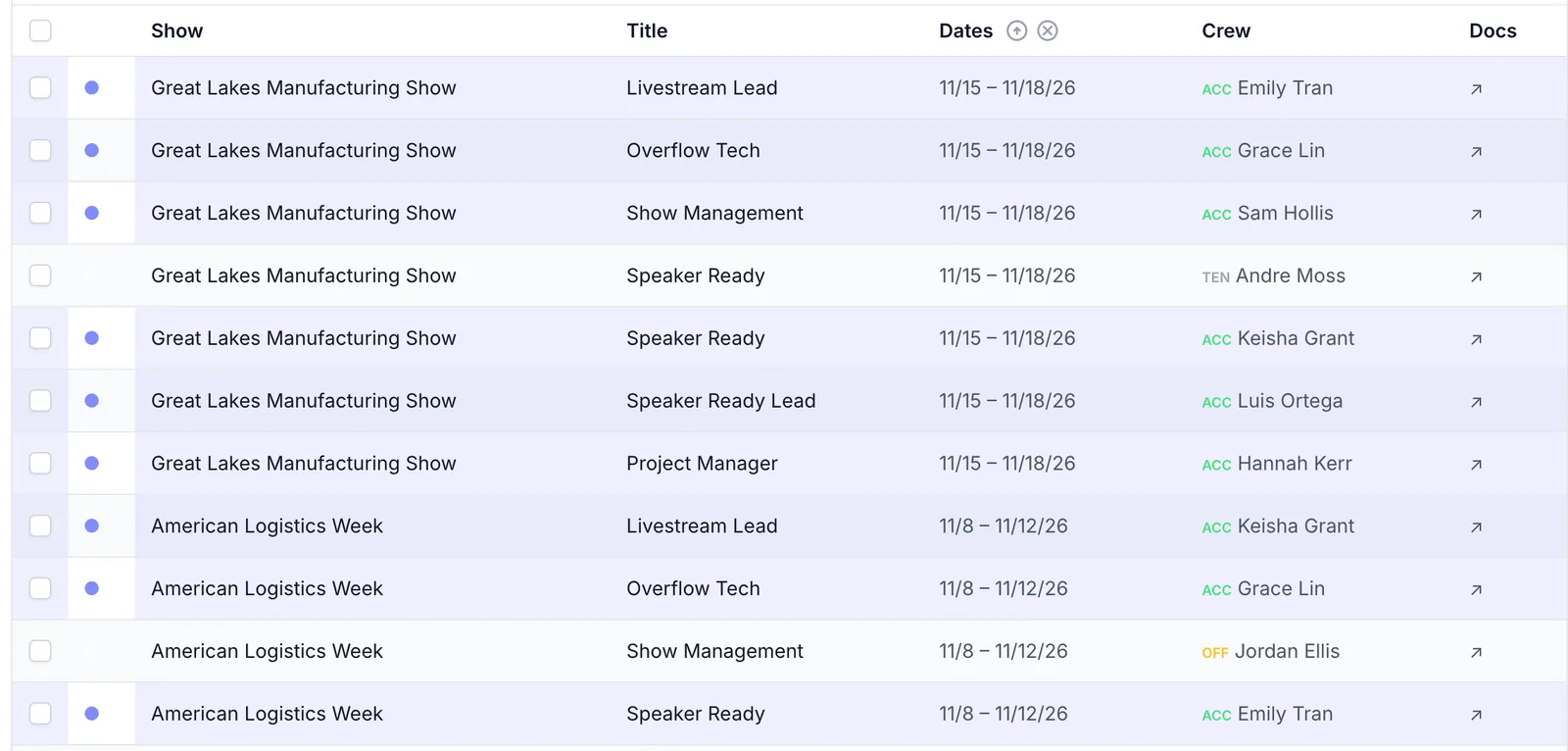
Every position on every show, in one list
Set up a show once, add the positions you need to fill, and offer each one to a crew member. Everyone's answer shows up next to their name.
- Offered, accepted or declined, at a glance
- Rebook a position in a couple of clicks when someone drops
- Search and filter by show, date or crew member
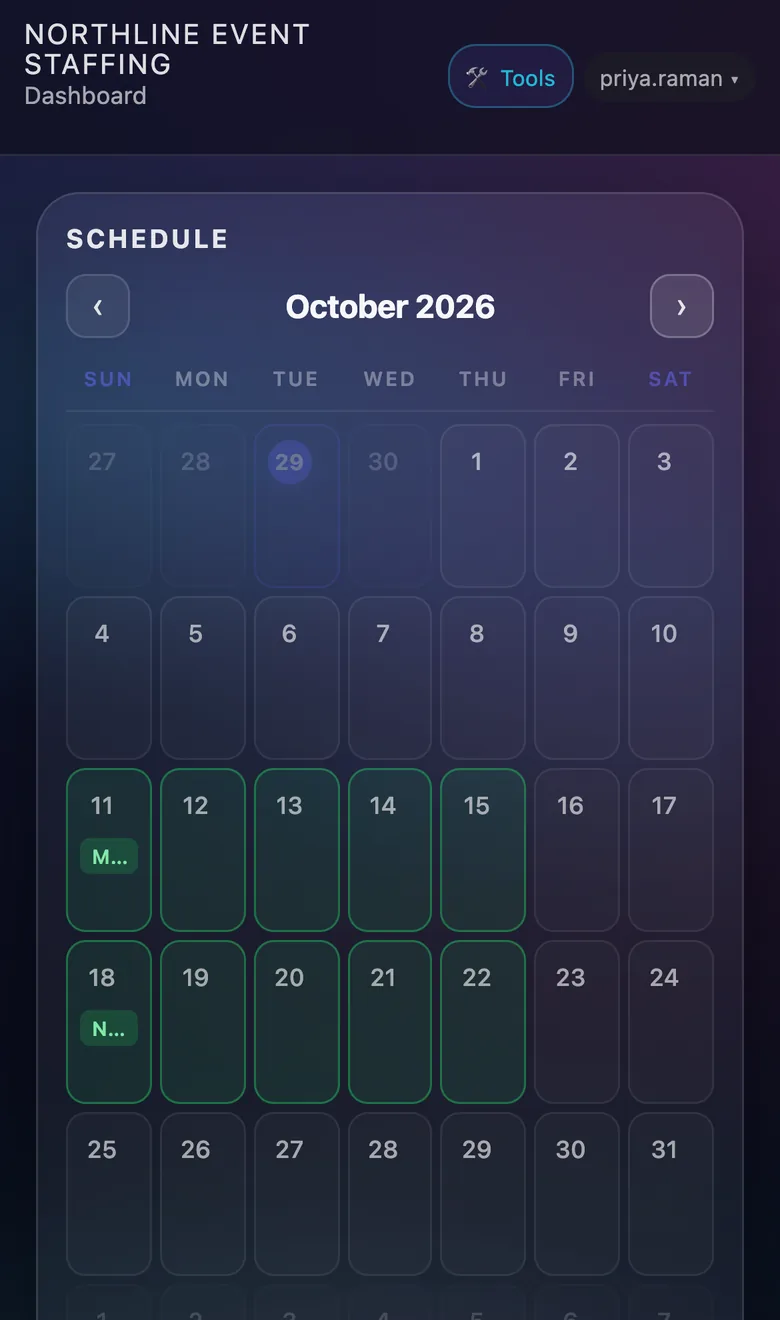
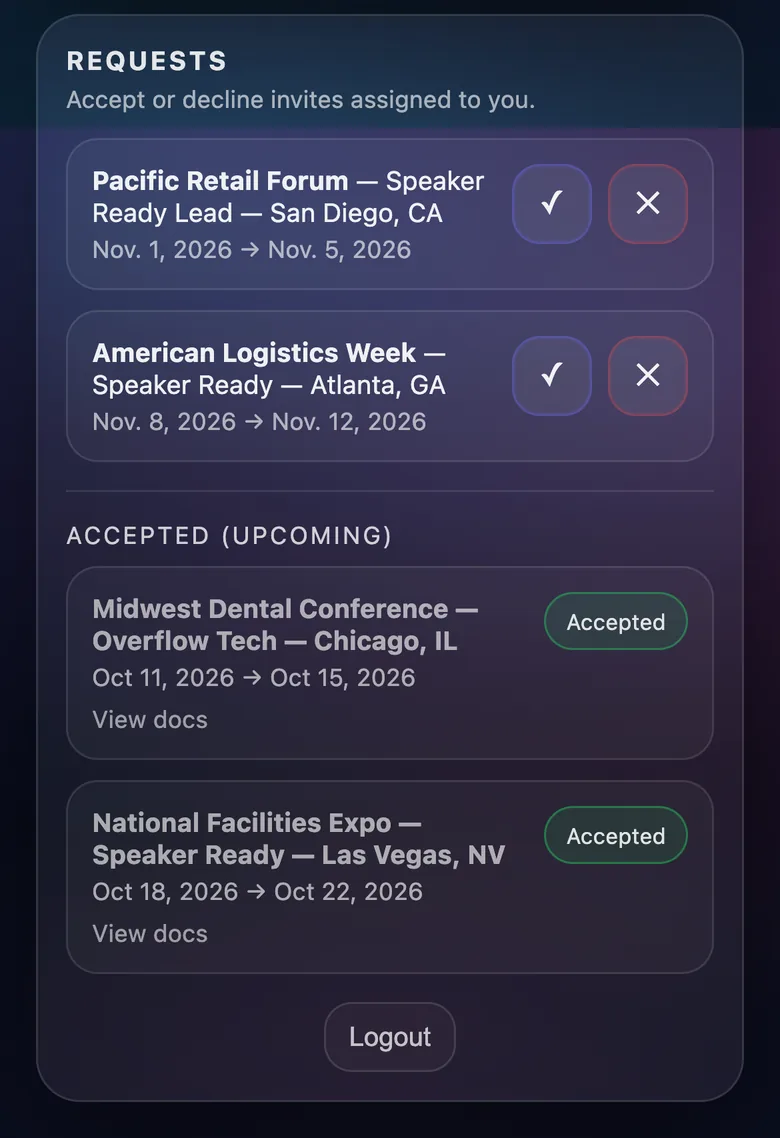
Crew answer from their phone
Offers land on each person's dashboard and in their inbox. They accept or decline in one tap, and accepted shows go straight onto their calendar with the documents for that job attached.
- Nothing to install. It works in the phone's browser.
- Calendar export for Google, Apple and Outlook
- You can see who has opened their show documents
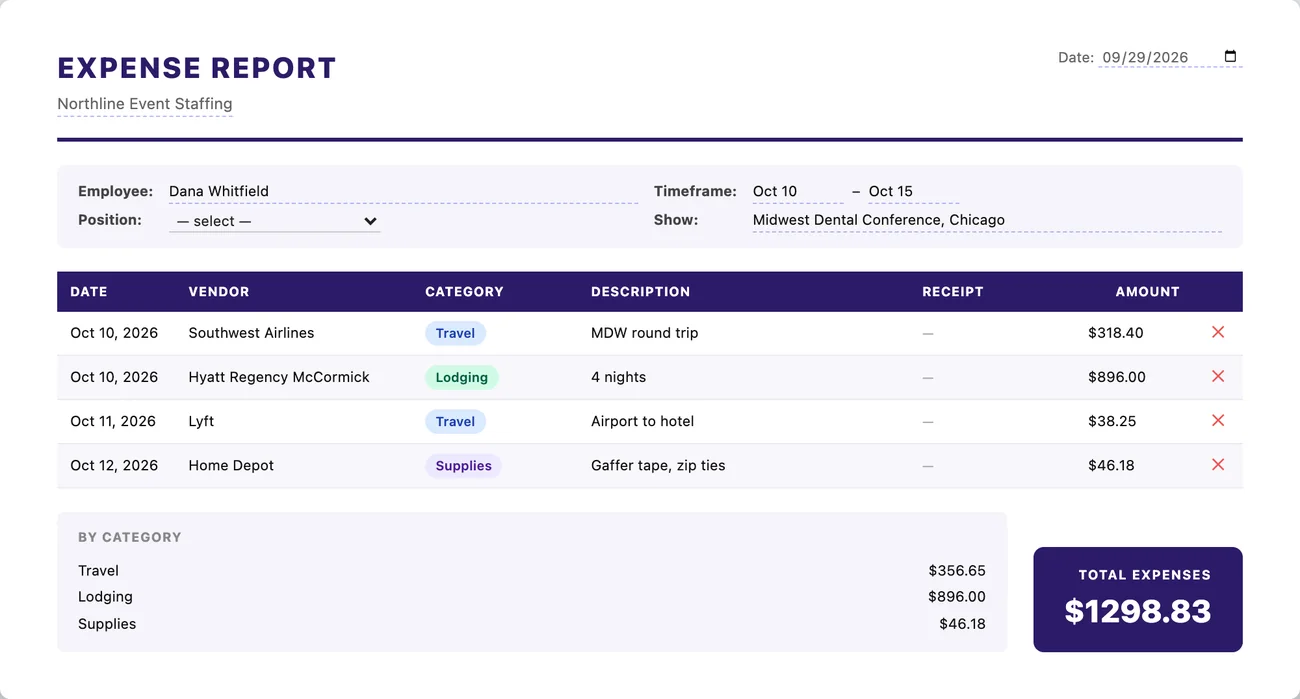
Bill the client and file expenses in the same place
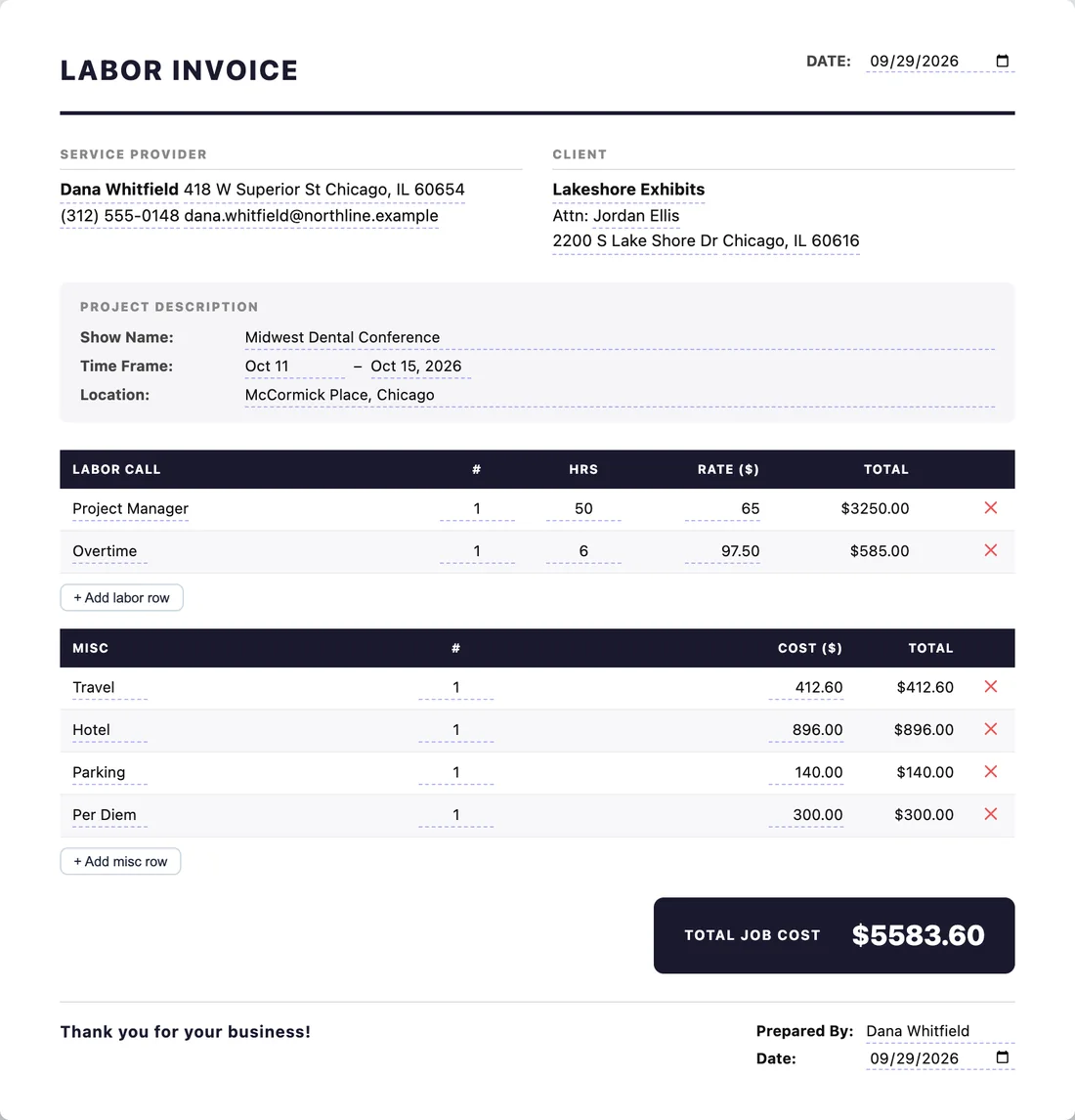
The invoice creator adds up labor calls, overtime and travel as you type, and the expense report sorts receipts by category. Both download as clean PDFs.
- Labor rows with count, hours and rate
- Receipt photos attached as pages after the summary
- Save a filled-in version as a template for next year's show
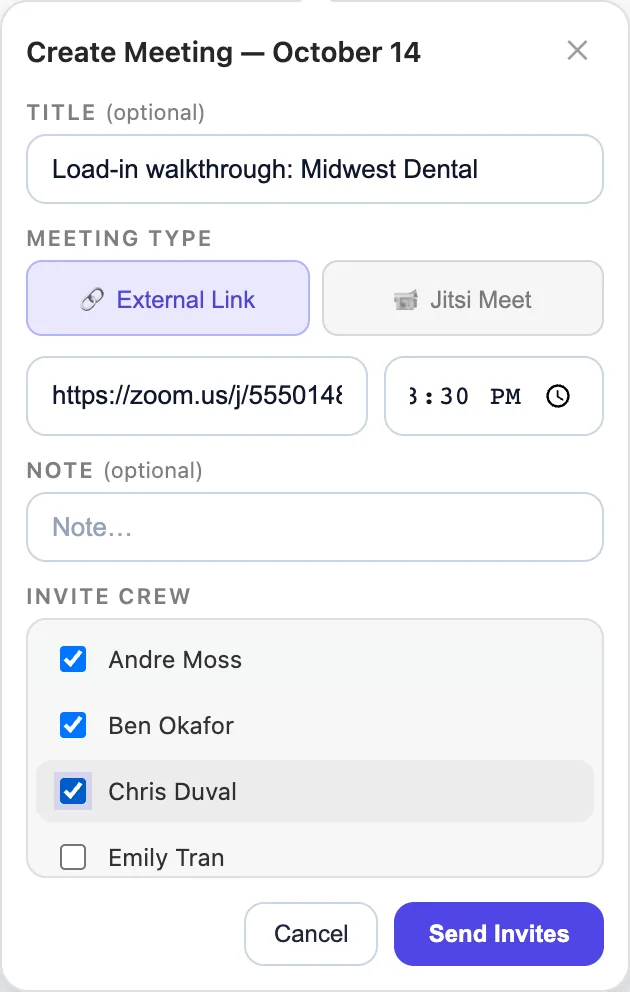
Set up the pre-show call from the calendar
Pick a day, paste a Zoom or Teams link or open a Jitsi video room, and choose who's invited. Crew accept on their dashboard and get a reminder before it starts.
- Meetings sit on everyone's calendar next to their shows
- Reminders by email and text 15 minutes before
- Mark days off right from the same calendar
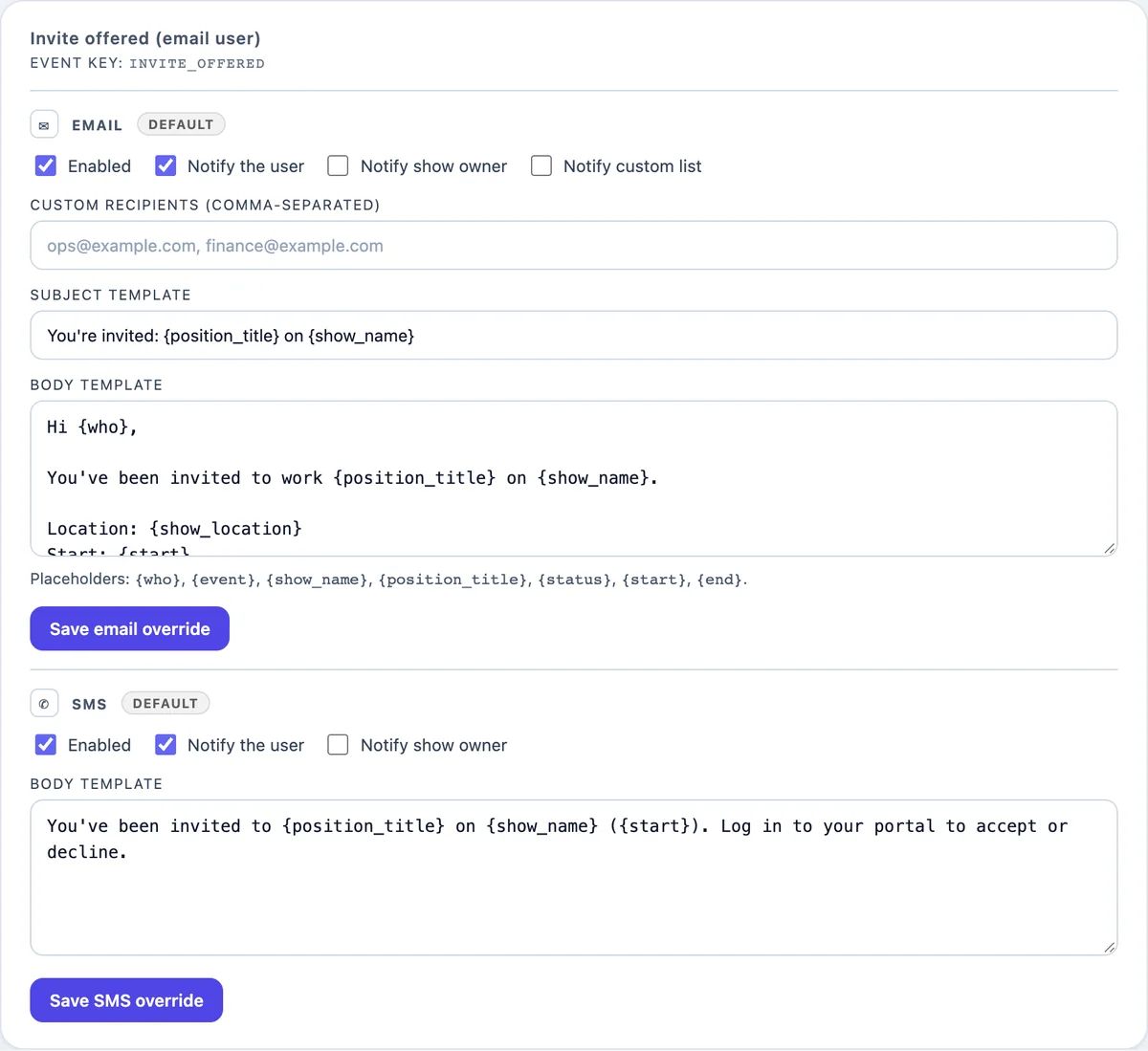
Everyone hears about it, and you decide how
Offers, accepts, declines, new show documents and meetings can each send an email, a text, or both. Choose who gets them and change the wording.
- Send to the crew member, the person who booked them, or a list
- Placeholders fill in the show, position and dates
- Messages go out under your agency's name
And the rest of the toolbox
Smaller tools that save a trip to another app.
Timesheets
Generated from each position's dates, travel or local, and filed to the right Google Drive folder.
Show documents
Upload once and the booked crew get it. See who has opened what.
Team messaging
Message crew inside the platform instead of chasing group texts.
Run-of-show and sign-in sheets
Build a formatted run-of-show from a session export, and fill out payroll sign-in sheets as spreadsheets.
File converter
Turn decks, documents, images and video into the format the show needs.
Training library
Host your own training videos for new hires and returning crew.
Calendar export
Crew add their shows and meetings to Google, Apple or Outlook.
Roles
Owner, admins and crew each see what they need and nothing more.
Two-factor sign-in
Protect admin accounts with an authenticator app code at sign-in.
Plans for agencies of every size
You pay for the people who run the office, with crew included. Every plan has every feature.
Standard
Billed yearly at $1,788
- 3 admin seats
- 50 crew
- Every feature
- Your branding and your own domain
Growth
Billed yearly at $3,588
- 10 admin seats
- 150 crew
- Every feature
- Priority support and help moving your roster over
Enterprise
For large rosters and multiple offices.
- Admin seats and crew sized to you
- Custom agreement and invoicing
- Onboarding for your whole team
- A direct line to us
Need more crew on any plan? Add 25 at a time for $25/month. Every account starts with a 30-day free trial for up to 10 people, with no credit card. Pay by card, or ask us to invoice you.
Questions
Who counts as an admin seat, and who counts as crew?
Anyone who works in the admin side: the account owner and the admins who build shows and book crew. Crew who only accept work and view their schedule count toward your crew allowance instead. Pending invites count until they're accepted or removed.
Can we switch plans or billing later?
Yes. Move between Standard and Growth, or add crew, from the Billing page at any time, and the difference is prorated. Yearly billing works out about 17% cheaper than month to month.
What happens when the trial ends?
If you haven't picked a plan, the account goes read-only for 14 days. You can still sign in and look everything up. After that it pauses until you subscribe. Nothing is deleted.
Is our data kept separate from other agencies?
Yes. Each agency's shows, crew, documents and settings are only visible to its own people.
Can our crew use it on their phones?
Yes. There's nothing to download. Crew sign in from any phone browser to see their schedule, answer offers and open their show documents.
Can we use our own logo and web address?
Yes. Add your logo, point a subdomain like bookings.youragency.com at the platform, and messages go out under your agency's name.
How do we get started?
Book a demo. We'll walk through it with your own shows, set up your account, and start your 30-day trial.
See it with your own shows
A 30-minute walkthrough, then a free trial for your team.